Latest platform additions
Updated 13.09.2026New tools ready for professional workflows
Live platform coverage
Browse every moduleOne account, structured access to specialist modules
Supported ECU and TCU options presented directly from the live General Immo Off catalog.
MEDC17, MED9, Simos, Porsche SDI, Delphi, Marelli, CVN and power class modules.
DQ, DL, VL and ZF transmission modules for immo data, clone, transfer and mileage workflows.
Supported ECU, TCU and dashboard mileage correction workflows in one protected platform.
Core tool families
Choose the workflow that matches the control unit
Each module identifies the expected memory type and guides the operator through the supported operation.
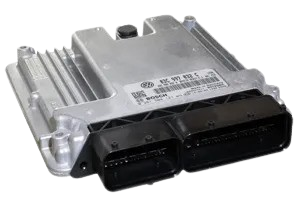
ECU Tools
Immo data and engine controllers- MEDC17Immo data editing, clone workflows, CVN support, and power class tools.
- SimosPCR2.1, Simos 6.x, 8.x, 10.x, 11.x, 12.x, 18.x and PPD modules.
- MarelliSupported 7GV and 9GV immobiliser workflows.
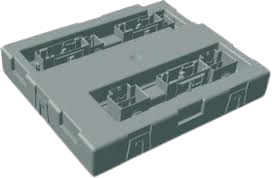
BCM, ELV & EZS
Body and steering-lock adaptation- BCM2Audi BCM2 95320 and D-Flash tools, error repair, sync and clone modules.
- ELV / EZSAudi, Touareg, Lamborghini, Crafter, MQB and PQ35 steering lock workflows.
- CCM / BCMPassat CCM and Porsche front/rear BCM support.
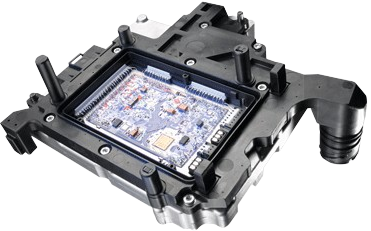
TCU & Sync
Transmission and synchronization- DL / VLDL501, DL382, VL381 and VL300 supported TCU modules.
- MQB / BCM2Sync key and BCM2 sync calculation workflows.
- CloneECU, TCU, BCM and ELV immo transfer modules for supported platforms.
General Immo Off Preview
73 supported optionsThe demo Immo Off presentation follows the same supported ECU list used by the real General Immo Off module, so customers can see what is currently available before requesting access.
VAG Simos PCR2.1
VAG MD1 / MG1
Delphi DCM
DL501 / VL381 TCU
Renault MD1CS006 / MD1CS016
PSA MD1CS003 / MG1CS042
Mercedes FBS4 EDC17CP57
Porsche SDI
Protected Workflow
Server-side access1Select the module family and supported ECU or TCU option from the dashboard.
2Upload the correct original file type shown by the module, such as flash, EEPROM, D-Flash or immo data.
3Process the file through the protected server module and download the generated result.
4Write back with the same professional read/write tool and calculate checksum when the module message requires it.
Supported areas
Built for immobiliser data, adaptation and transfer work
Immo data extraction
ECU and TCU clone
CS / MAC / PIN workflows
BCM2 sync and repair
ELV / EZS adaptation
Power class editing
CVN correction
Diagnostic file workflows
Interactive tool preview
OPEN DEMO DASHBOARD Explore tools by operation
Open the Demo Dashboard to browse the current module catalog by controller family.
Repair, component protection and supported adaptation workflows.
VIEW BCM DEMOFront-to-Rear BCM transfer and independent supported VTS operations.
VIEW PORSCHE DEMOCompatible immobilizer transfer for supported ECU families.
VIEW ECU DEMOController-specific clone and adaptation workflows for supported TCU families.
VIEW TCU DEMOAccess Control
ProtectedReal tools are available only to approved accounts with active access. Demo mode shows the catalog without exposing protected processing URLs.
File Handling
Original filesModules guide the user to the required file type and reject unsupported or already processed files when detection fails.
Support Scope
Commercial useThe platform is focused on supported immobiliser, sync, clone, transfer, power class and mileage workflows for professional users.
Designed for professional use
Understand the file before you write it back
DSTVAGIMMO supports specialists working with compatible automotive programmers and original control-unit reads.
Automotive locksmiths
Immobiliser data, synchronization and supported replacement-unit workflows.
ECU and TCU specialists
Structured decrypt, clone, adaptation, power-class and supported repair modules.
Diagnostic workshops
Guided processing for supported BCM, ELV, EZS, dashboard and control-unit files.
Files Used by the Platform
Module dependentThe required upload depends on the selected controller and operation. The module page shows the exact file requirement before processing.
EEPROMP-FlashD-FlashInternal FlashFull BackupImmo DataFRF / ODX / SGOSync Data
Always use an untouched original read from the supported memory and read method shown by the module.
How Access Works
Four clear steps- 1Explore Review the public demo and confirm the modules you need.
- 2Create an account Register with a valid email address.
- 3Activate access Select an available access plan and complete activation.
- 4Start processing Log in and open supported tools from your dashboard.
Common questions
Ask supportBefore you start
Can I test the platform before purchasing?
The public demo shows the current module families and supported workflow names. File processing remains protected and requires active access.
Does every module accept the same file?
No. Depending on the controller, a module may require EEPROM, flash, D-Flash, P-Flash, full backup or another specific format. Follow the requirement shown inside that module.
Are all controllers automatically supported?
No. Support is limited to the modules, variants, file sizes and detection rules presented by the platform. Unsupported files are rejected where validation cannot confirm compatibility.
Where can I get help?
Registered users can use the integrated support area. Public visitors can review the demo or contact DSTVAGIMMO before choosing access.
Ready to explore?
See the complete tool catalog before activating access
Browse the demo, confirm the workflows relevant to your work, then choose the appropriate access option.